
Vertical Text for Confluence
Rotate text in Confluence Cloud tables without turning it into an image.
Vertical Text adds selectable rotated text to Confluence Cloud pages and tables.
Use it for narrow table headers, sideways labels, annotations, and page layouts where normal horizontal text wastes space.
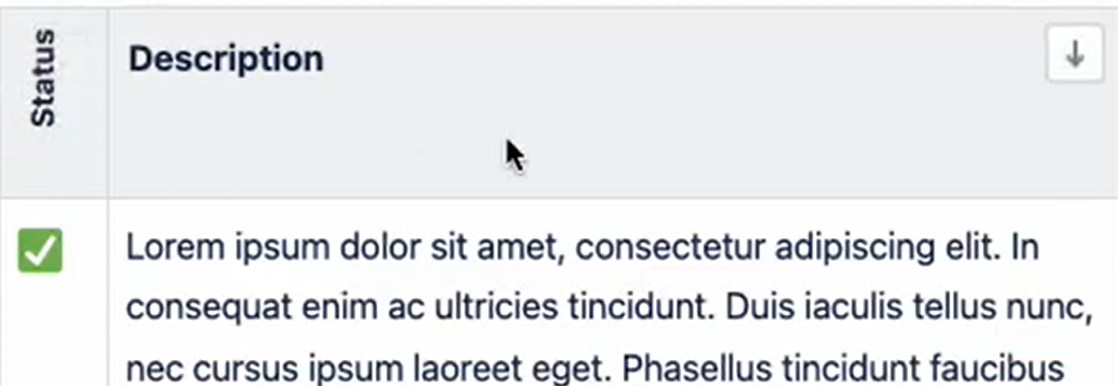
How to add vertical text in Confluence
Install Vertical Text from the Atlassian Marketplace, edit a Confluence page, insert the Vertical Text macro, and type directly into the macro placeholder.
The text rotates as you edit it, remains selectable after publishing, and can be formatted through the macro configuration panel.
Key Features
-
Live Editing: Type directly on the edited page and your text instantly appears vertically. Fully interactive, with support for standard shortcuts like copy & paste, and formatting.
-
Advanced Configuration: Format your vertical text with headings, and more, via a macro configuration. Preview immediately on the page as you type.
-
Perfect for Tables: Instantly fix cramped Confluence tables by rotating long headers into vertical text.
-
Universal Flexibility: Don't stop at tables! Make any text vertical, anywhere on your page. Ideal for side-notes, annotations, and creative layouts.
-
Real, Selectable Text: Unlike image-based hacks, your vertical text is searchable and selectable.
-
Dark Mode Support: Text, background, config panel.
For more details, read our Guide…
New App!
🪄 Table Header Wizard: Manually formatting large tables taking too long? The Table Header Wizard app automates the entire process in one click.
(Disclaimer: The Table Header Wizard app comes fully packed with the Vertical Text macro out of the box. However, Table Header Wizard is installed separately from the Vertical Text app on the Atlassian Marketplace, and the standalone Vertical Text app does not include the Table Header Wizard.)
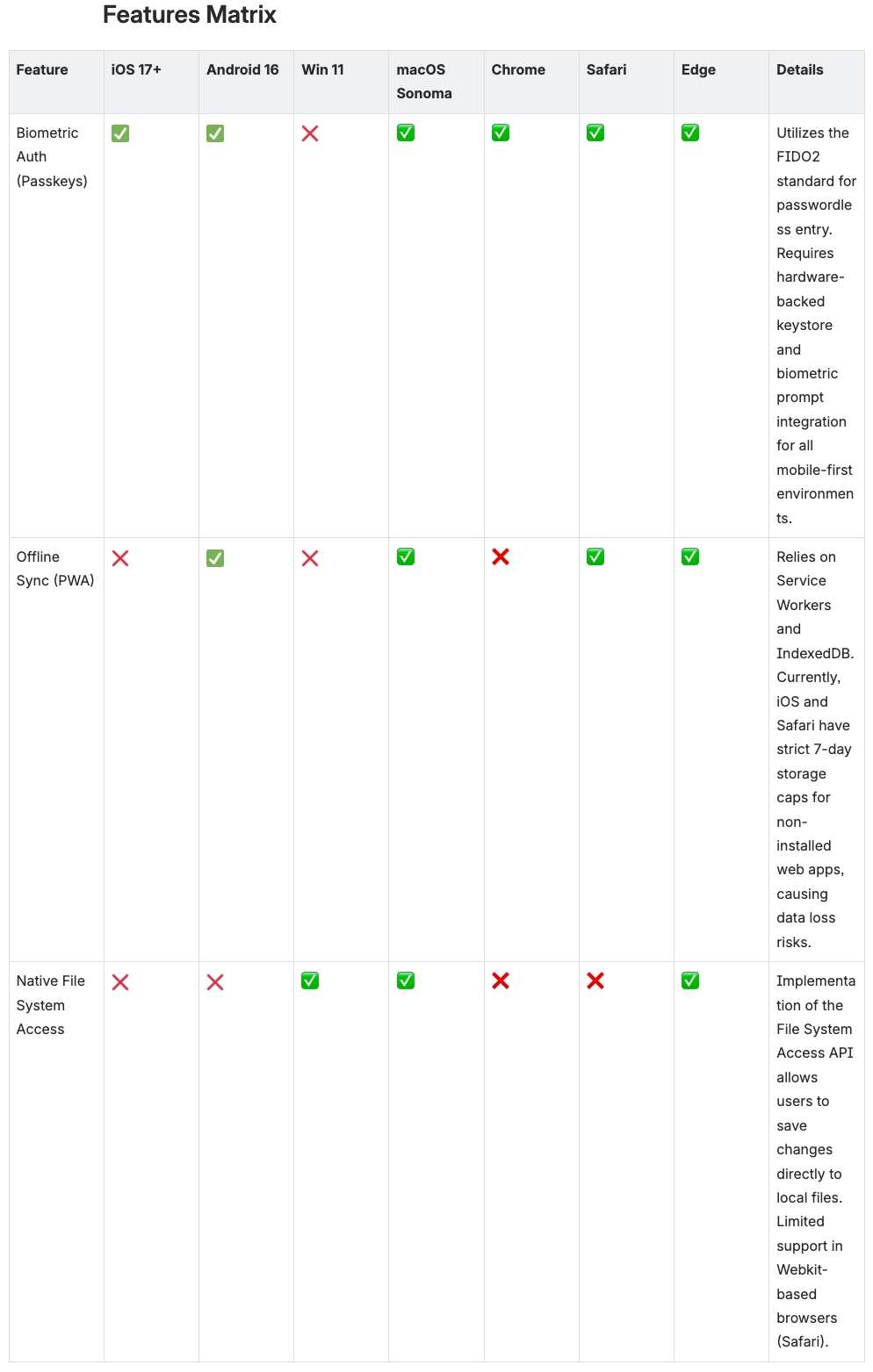
Before
The environment columns take up most of the screen width just to show a single checkmark.
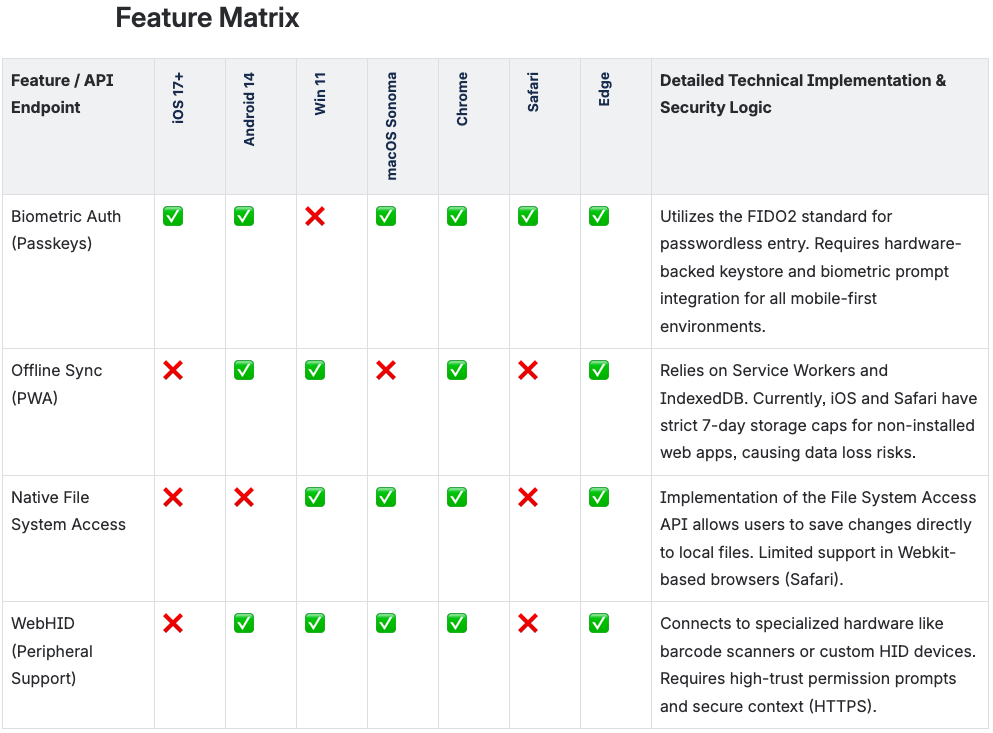
After
By rotating the headers, the most important column remains visible without horizontal scrolling.
FAQ
Can Confluence rotate text in table headers?
Confluence Cloud does not provide native rotated table header text. Vertical Text adds a macro for vertical, sideways, and rotated text that works inside Confluence pages and tables.
Does vertical text stay selectable?
Yes. Vertical Text renders real text, not an image, so readers can select and copy it after the page is published.
Can I use Vertical Text outside tables?
Yes. The macro can be used anywhere on a Confluence page where vertical labels, side notes, or compact text blocks are useful.